How to slow down a song without changing the pitch
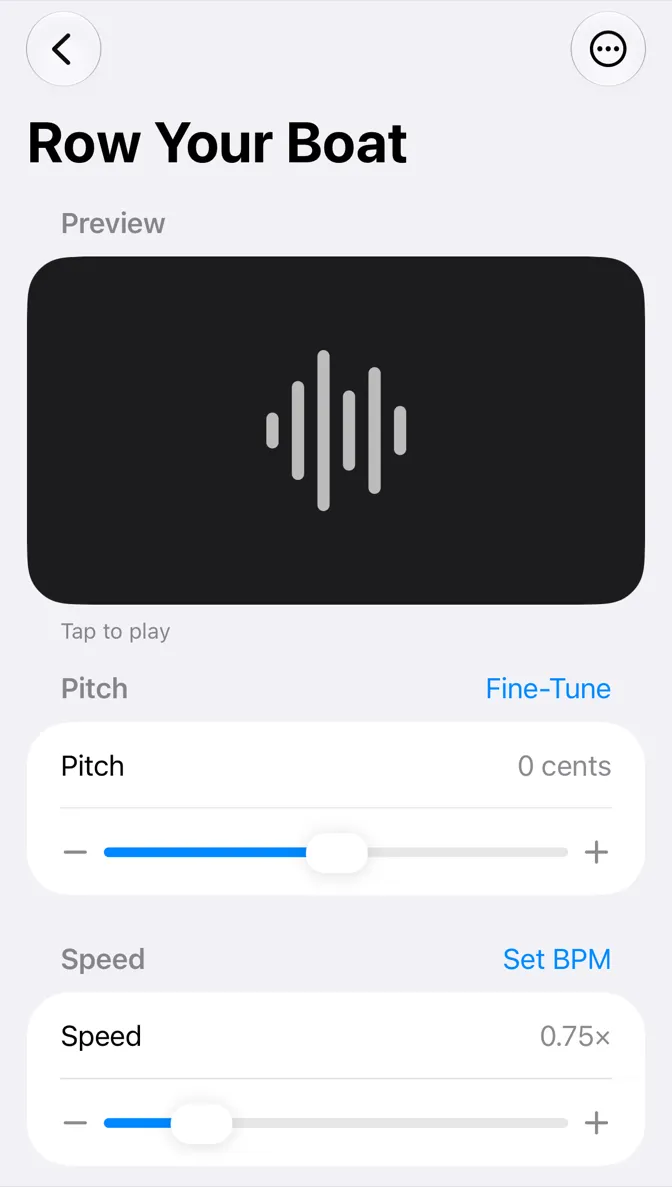
In Pitch Changer, the Speed slider slows a song down without changing its pitch.
- Tap the + button and choose Files to pick the song. It has to be a file on your device. A song inside Spotify or Apple Music cannot be opened.
- Drag the Speed slider to the left. It goes down to 0.5× in steps of 0.05×.
- Tap the preview to listen. You can keep moving the slider while the song plays.
- Tap Export to save the slower version as a new file.
If you are slowing a song down to practise it, start around 0.7×. When you can play along without mistakes, go up one step and play it again. At half speed the notes start to blur, so keep it for the few bars you cannot work out any other way.
To hit an exact tempo, get the speed from the BPM to speed calculator.
Slowed and sped-up songs, where the pitch changes too
The slowed and sped-up songs people post online change pitch with the speed, like a record or tape played slow or fast. To get that sound, set the speed and then the matching pitch.
The Pitch slider moves 100 cents at a time, so use the nearest step. To type the exact number you need Pro: tap Fine-Tune on iPhone or the Pitch row on Android.
| Speed | Matching pitch | Nearest slider step |
|---|---|---|
| 0.6× | −884 cents | −900 cents |
| 0.7× | −617 cents | −600 cents |
| 0.75× | −498 cents | −500 cents |
| 0.8× | −386 cents | −400 cents |
| 0.85× | −281 cents | −300 cents |
| 0.9× | −182 cents | −200 cents |
| 1.1× | +165 cents | +200 cents |
| 1.2× | +316 cents | +300 cents |
| 1.25× | +386 cents | +400 cents |
| 1.3× | +454 cents | +500 cents |
| 1.5× | +702 cents | +700 cents |