How to change the key of a song
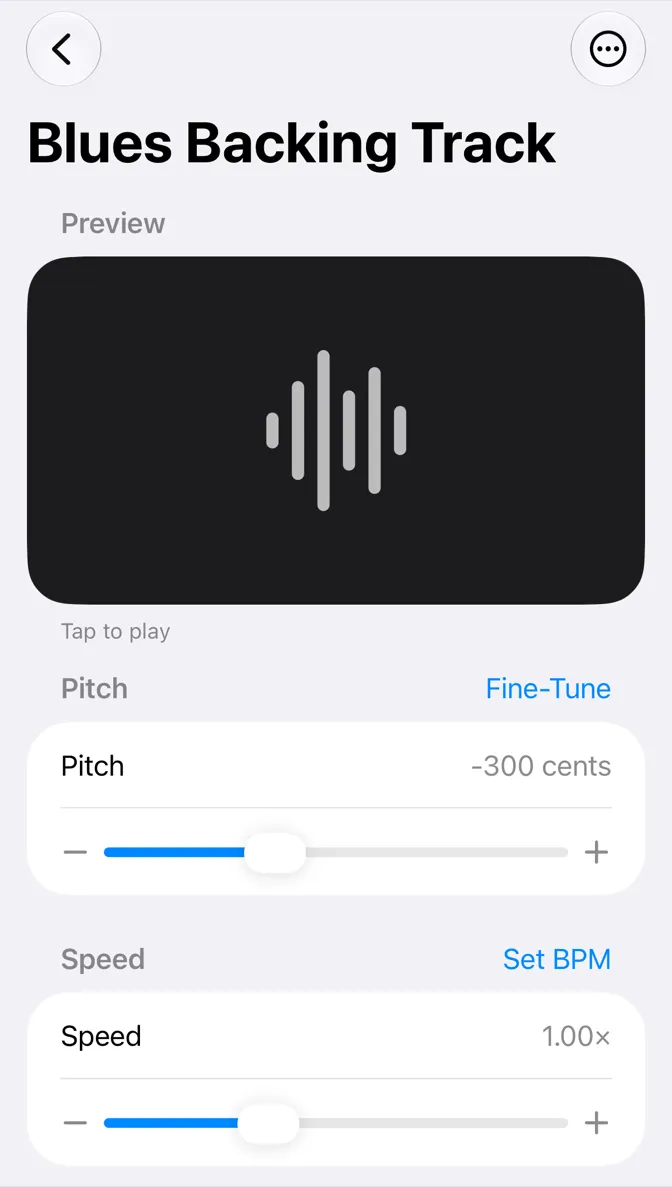
To change a song's key, shift its pitch by the number of semitones between the key it is in and the key you want.
How many semitones to shift
Up 9 semitones: set the pitch to +900 cents.
Down 3 semitones: set the pitch to −300 cents.
Going down is the smaller change, so it will sound closer to the original.
If you do not know the keys and the song is simply too high or too low to sing, start with two semitones in the direction you need. Sing along, then move one semitone at a time until the highest and lowest notes are both comfortable.
Change the key in Pitch Changer
- Tap the + button and choose Files to pick the song. It has to be a file on your device. A song inside Spotify or Apple Music cannot be opened.
- Drag the Pitch slider to the pitch you worked out above. Each step is one semitone, which the app shows as 100 cents. Moving this slider does not change the speed.
- Tap the preview to hear the song in its new key. You can keep moving the slider while it plays.
- Tap Export to save the new version.